
 Diane
Diane
A few days after its release, reports of bugs with the iOS 13.5 started trickling in with users having problems with apps that won’t launch. It seems that these errors appear to be random, with some users reporting that it appears after updating apps.
When this happens, a pop-up dialog appears when accessing the app. While some appear to have solved the problem by reinstalling the app, users also run the risk of losing saved data.
Some users report that they were unable to open popular apps like YouTube and Twitter. Some say that App Store issues are associated with iCloud Family Sharing, preventing users from installing duplicate apps. But there is no clear indication that this is related.
How to Fix “This app is no longer shared with you” Error
You can get rid of this error by offloading and reinstalling the app or removing the app and reinstalling it. However, you run the risk of losing data by simply removing and reinstalling.
How to Offload Apps
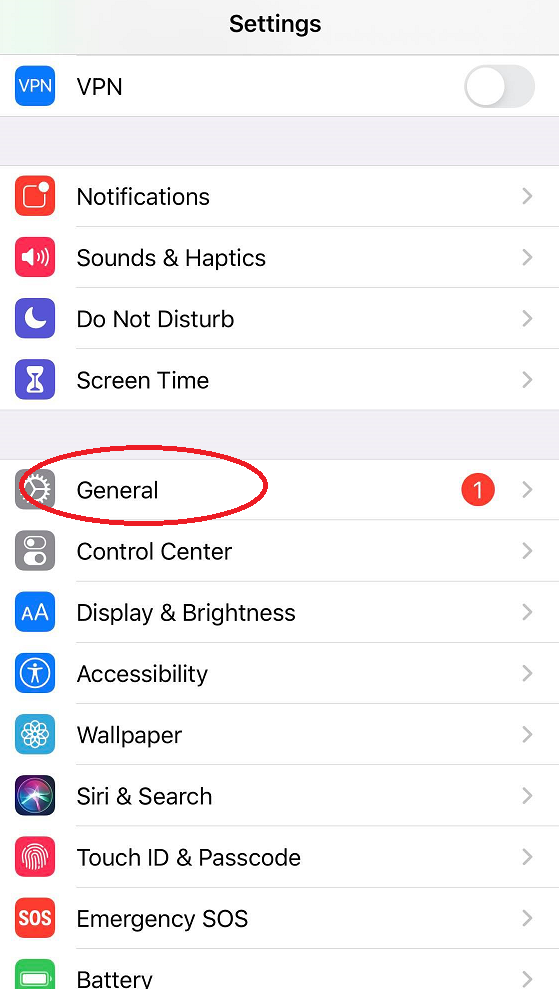
Open Settings and select General icon
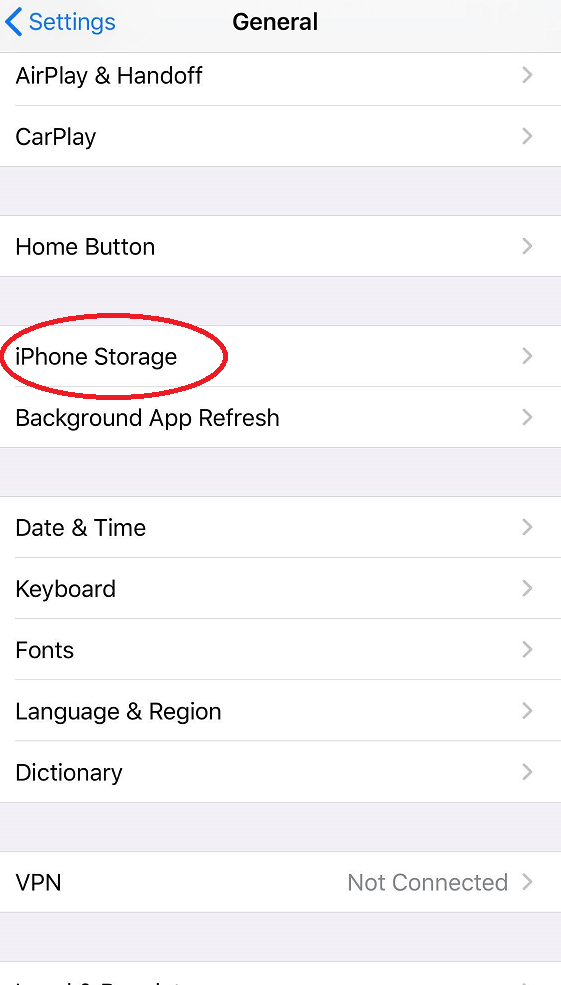
Locate ‘Storage’ section: iPhone Storage or iPad Storage
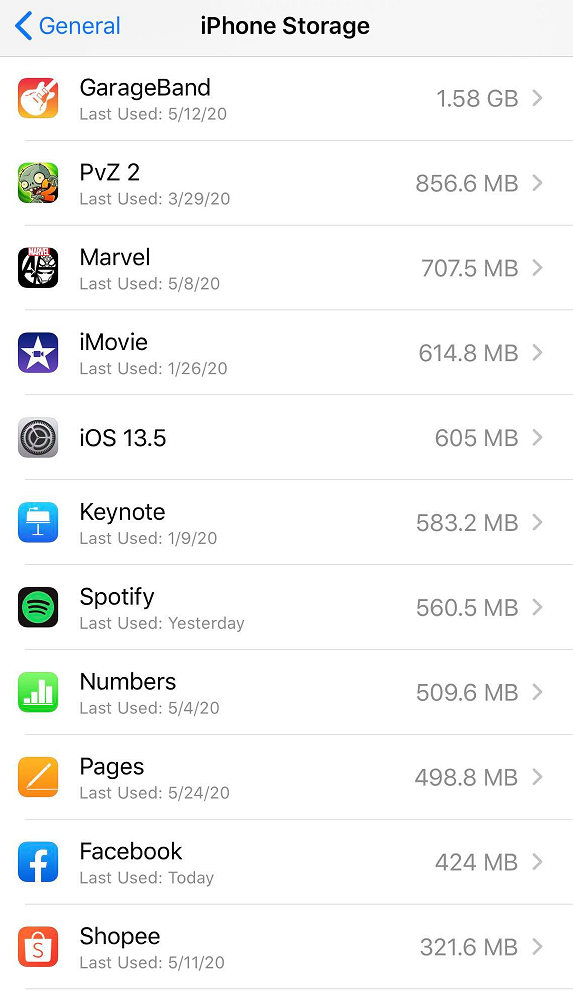
Check the list of installed apps and look for the app sending you the error message
Click the ‘Offload App’ button
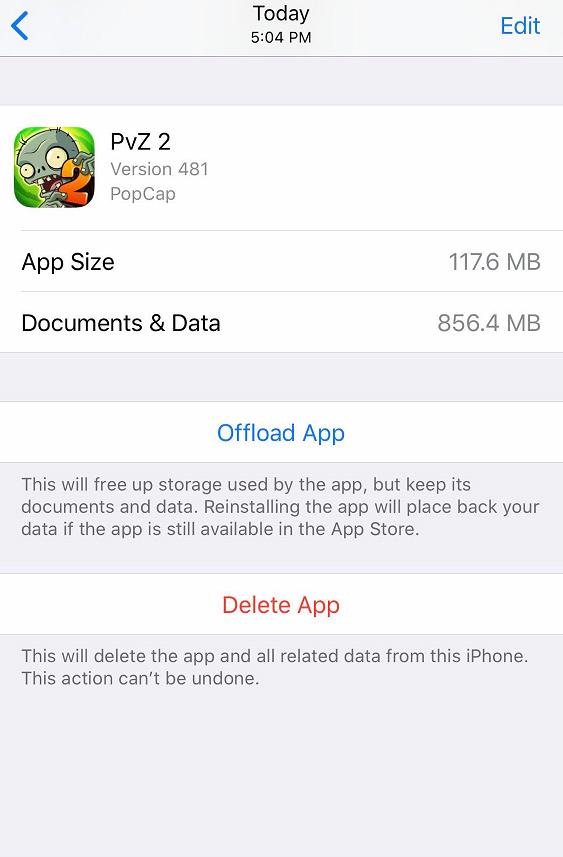
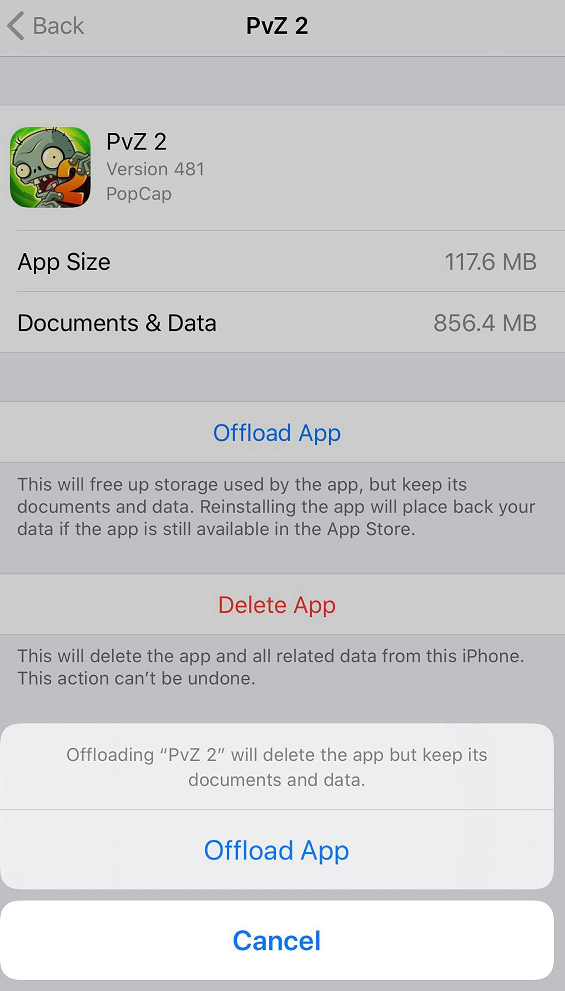
Confirm Offload command
Repeat as needed to fix all apps affected by the ‘This app is no longer shared with you’ error
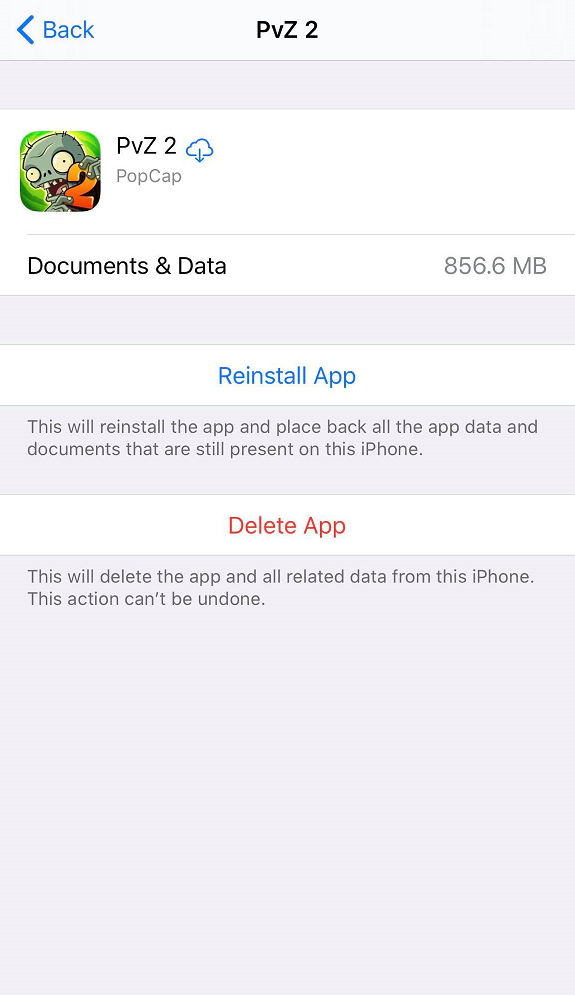
The good thing about using the ‘Offload App’ option is that you are only removing the app from the iPhone or iPad, but all data and documents associated with the app are stored on the device. This gives you the option to reinstall the app to solve the ‘This app is no longer shared with you’ error without losing data keeping your app basically intact.
No need to worry about purchasing the app again. ‘Offloading’ is widely used as a storage space solution for those suffering from storage problems. It does not terminate your subscription to the app, only freeing up previously used space for other apps.

 Ronald Uy
 Leah H. Blanchard


 Adrienne Blanier


0 Comments