
 Diane
Diane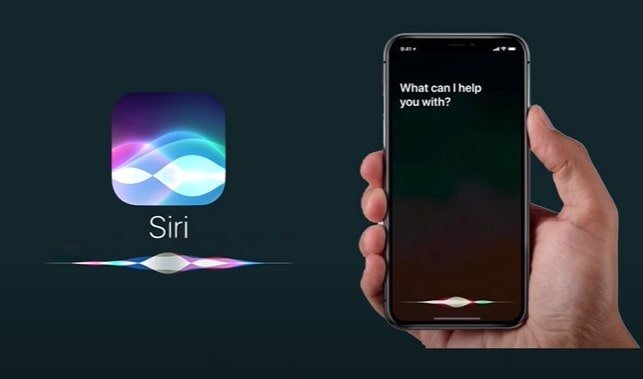
With every iOS update comes several changes that include bug fixes, security updates, and new features. Updates are done to enhance the performance of your Apple device and improve user experience, and in this case, Siri. However, with some of the latest updates, users have reported Siri’s voice sounds robotic and would be a step back from the voice we’ve learned to know and love.
Did Siri’s voice change?
Siri first came out in October 2011 with the iPhone 4S. Since then, it has remained the same until the introduction of iOS 14.5. Siri no longer had a default female voice with this update, but it came with two additional voices. iOS 15 further saw improvement with various voices to choose from. But with the new iOS updates, users also reported that Siri sounds robotic, Siri’s voice is very low, or its sound is muffled.
Siri Sounds Robotic – Quick Fixes
One of the most significant improvements with the iOS update was a better and more customizable Siri. But all is not roses, as some users have complained that Siri sounds robotic. If you’re one of those having concerns with Siri’s update, read on so that these quick fixes can solve your problem.
Fix#1 Do a restart
Whenever I find myself having problems with my iPhone or iPad, one of the most popular solutions is restart the device. I often find this solution very effective, and I even do this on my router whenever I have difficulties with my internet connection.
Fix#2 Check your Storage Space
Each update takes additional storage space, which could be a problem for iPhones with limited storage space. The new Siri includes several voice options that take up anywhere from 150MB and 500MB. When storage space is limited, your device may have opted not to download all the audio files. To fix this, you could free some additional space by deleting some videos or unused apps.
Fix#3 Check your AirPods or iPhone Speakers
Maybe the problem didn’t have anything to do with the update or software in the first place. If you’re still experiencing issues listening to Siri, this can also be caused by a defective or dirty AirPod or iPhone speaker.
Fix#4 Download your preferred Voice Setting
If you are still having problems with Siri, you could also download your preferred voice by checking out the various voices in “Setting.” Just search for ‘Siri & Search’ to access the available voice options.
Fix#5 Disable Low Power Mode
The Low Power Mode disables non-essential features or tweaks applications to conserve battery life. And it appears that Siri is one of the applications affected. If you notice voice changes whenever you are low on battery and in low power mode, try turning it off and using Siri. Go to ‘Setting’ and tap on ‘Battery’ to turn the Low Power Mode off.
Fix#6 Do a Reset
Not to be confused with doing a restart which means turning the iPhone off and powering it up, a reset is restoring factory settings. When prompted to upload your old settings select ‘set the device up as new, which would fix your Siri-related problems.
Final Word
Siri may sound robotic because it has issues accessing its audio files, which may be caused by one of the fixes we mentioned above. Since its not a hardware problem; the good thing about problems with Siri is that these can be easily fixed and don’t appear to be long term and does not need a visit to the apple center.

 Ronald Uy
 Leah H. Blanchard


 Adrienne Blanier


0 Comments